Get 20% off orders over £50 with discount code REWIND
 01423 319041

What do you want to convert?
Back to Blogs
How to Connect SCART to a Smart TV
Mark Parle • 26 August 2026
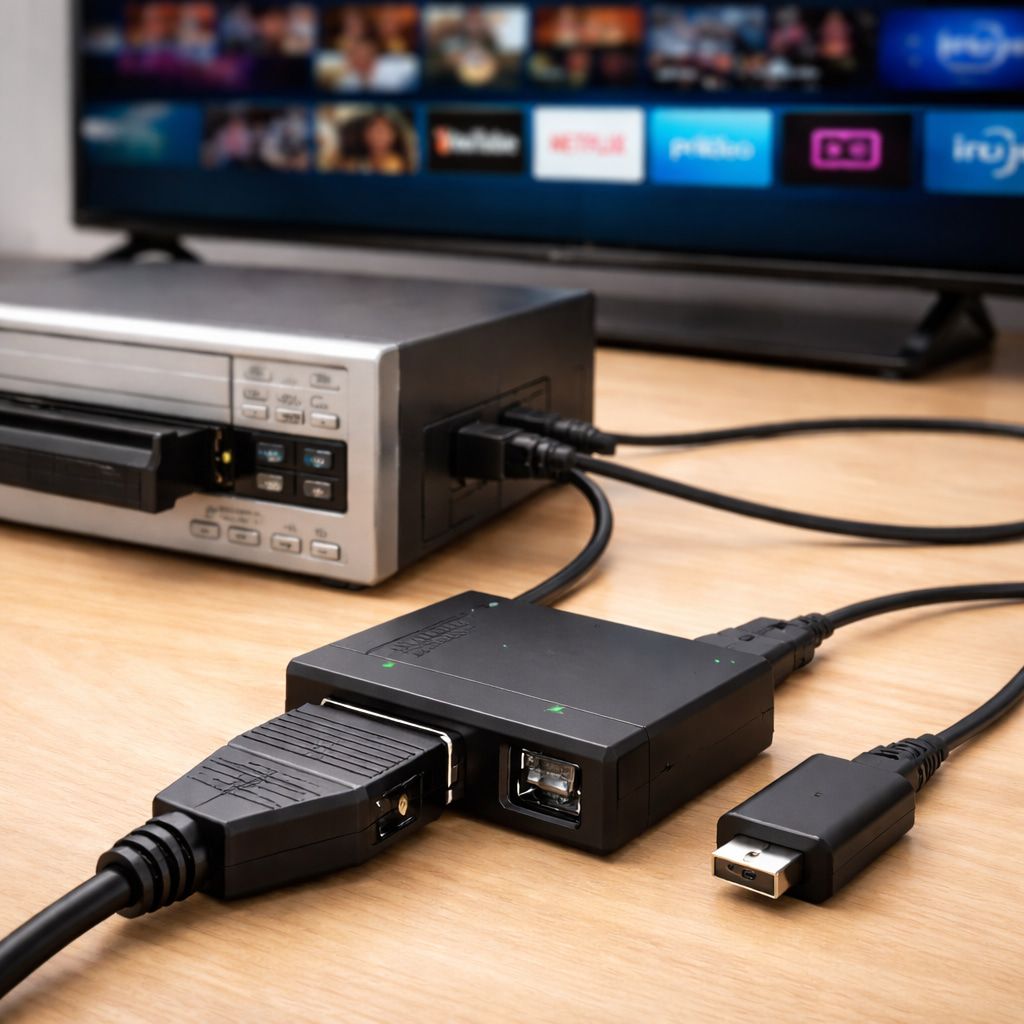
You can connect a SCART device to a modern smart TV, but you will usually need a SCART to HDMI converter because most smart TVs no longer have a SCART socket. The old device sends out an analogue signal, while the TV expects a digital one through HDMI, so a proper converter sits in the middle and translates it.
Key Points
Most smart TVs do not have a SCART socket, so you will usually need a SCART to HDMI converter.
A proper powered converter works better than a simple SCART to HDMI cable.
Picture quality can still be perfectly watchable, but it will be limited by the original device and format.
If you want to preserve old footage for good, digitising it is often a better long-term option than reconnecting ageing equipment.
What SCART is and why it causes problems on a smart TV
SCART was once the standard AV connection on TVs across the UK and much of Europe. It is a 21-pin connector that can carry analogue video and stereo audio through one chunky plug, which made life much easier, (aside from the fact it was always a pig to actually plug one in, as you blindly fumbled round the back of the VCR!) in the days of VHS, DVD recorders and set-top boxes.
The trouble is that smart TVs were built for HDMI. HDMI carries both digital picture and sound, supports modern resolutions, and has long since replaced SCART on new televisions. That is why the back of a new TV can look packed with ports but still give you nowhere obvious to plug in older kit.
This is where people get caught out. A SCART plug and an HDMI socket are not two versions of the same thing. They use different signal types, so a cheap passive lead is rarely the answer. Most setups need an active converter with power going into it.
Check your TV before you buy anything
Before spending money, check every socket on the back and side of the TV.
Many smart TVs only have HDMI, USB and aerial connections. Some, though, still include an analogue AV input. On certain models this comes through a 3.5mm breakout socket or a shared composite or component input rather than the old red, white and yellow sockets people expect.
That matters because if your TV still accepts composite AV, you may be able to connect older gear through a longer chain of adaptors. I would still pick the SCART to HDMI convert route for most people though, because it is usually cleaner and less annoying.
The simplest way to connect SCART to a smart TV
For most homes, the easiest method is this:
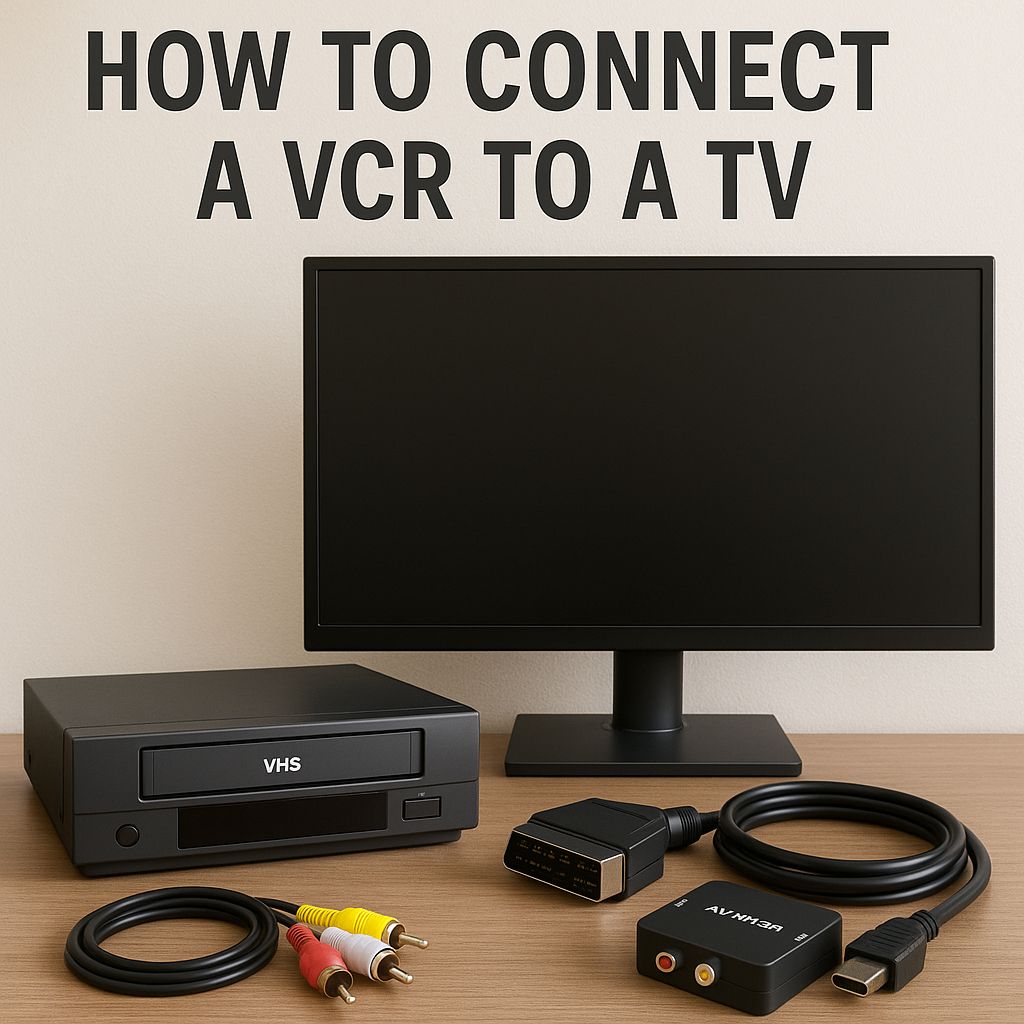
SCART device (e.g. VCR) into a SCART to HDMI converter, then HDMI from the converter into the smart TV.
That is the setup most people mean when they ask how to connect SCART to a smart TV, and for good reason. A proper converter is built to take the analogue SCART signal and output HDMI that the TV can understand.
The big point here is power. Many converters need their own power supply, usually via USB or a mains adaptor. If the box is not powered, nothing useful happens. That sounds obvious, but it is one of the most common reasons people end up staring at a black screen.
Usually, your smart TV will have a few USB sockets on the back, and the converter can just plug into one of those for the power.
What you need
You do not need much, but you do need the right bits:
A SCART source device, such as a VHS player, older DVD recorder, camcorder playback unit or legacy set-top box.
A smart TV with a spare HDMI input.
A SCART to HDMI converter.*
An HDMI cable.
Power for the converter, if required.
If your converter has a switch for PAL or NTSC, or 50Hz and 60Hz output, leave it on the setting that matches your source if possible. Older UK equipment is usually PAL based. Some converters handle this automatically, but not all of them do.
*We recommend a RetroTINK 2X - they really are the creme de la creme of SCART converters, allowing the all-important zero-latency for playing on your SNES or MegaDrive!
How to connect it step by step
Turn everything off first. It saves hassle.
Plug the SCART cable from your old device into the SCART input on the converter.
Connect an HDMI cable from the converter’s HDMI output to a spare HDMI input on the smart TV.
Power the converter either by plugging it into one of the TV’s USB sockets, or by using a USB mains plug.
Turn on the SCART device, then the TV.
Using the TV remote, switch to the correct HDMI source.
If all goes well, the picture from the old device should appear on screen.
That is the clean version. In real life, there is usually one moment where you realise the TV is on HDMI 1 while the converter is on HDMI 2, or the converter is plugged in but not actually switched on at the wall! So just check all those things if you’re not getting a picture.
If you are specifically working with a VCR, this guide on how to connect a VHS player to a TV covers the wider setup options too.
Can you use an adaptor instead of a converter?
Sometimes people look for a SCART to HDMI cable and assume that will do the job. Usually it will not.
A cable on its own does not normally convert an analogue SCART signal into a digital HDMI signal. That is why active converters exist in the first place. If you buy the cheapest possible lead with no electronics inside, there is a good chance it will solve nothing at all.
This is one of those areas where trying to save a tenner often creates an extra hour of irritation. I think it is better to buy one decent converter than three mystery adaptors that all claim to do everything.
What if your TV has AV input instead of only HDMI?
Some smart TVs still allow composite AV input through a breakout lead or shared AV socket.
In that case, you may be able to use a SCART to RCA adaptor and then feed that composite signal into the TV.
It can work, but it is a less tidy setup. You have more connections to get wrong, more chances for signal loss, and more room for confusion over input and output direction. Some SCART adaptors are one-way, while others have a switch. If that switch is set the wrong way, you will get no picture and start questioning every decision that led you there.
Common problems and how to fix them
No picture at all usually means one of four things: the wrong HDMI input is selected, the converter is not powered, the SCART adaptor is facing the wrong signal direction, or the old source device is not actually sending a signal.
No sound can mean the same basic issue, though it can also point to a loose connection or a faulty converter. SCART carries stereo audio, so a working converter should pass that through to HDMI.
A black and white picture often suggests a signal mismatch. That can happen when PAL and NTSC settings do not line up properly.
A flickering or unstable image may mean the converter is poor quality, underpowered, or unhappy with the signal coming from the source.
If your TV has an analogue AV input instead of HDMI, double-check that you are on the right source.
If your player itself is unreliable, it may help to read where to buy a VHS player before spending money on extra cables for a machine that is already on its last legs.
Will the picture quality be good?
It will be acceptable, sometimes surprisingly decent, but it will not look like native HD.
SCART is an analogue connection built in the standard-definition era. HDMI is a digital connection built for much higher quality signals. A converter can make the signal compatible with your TV, but it cannot invent details that were never there in the first place.
That is especially true for VHS. If you are connecting a VCR, you are working with a format that was never crisp to begin with. On a large modern screen, every weakness becomes easier to spot. Soft edges, picture noise, muted colours - that is part of the deal.
That said, old media often has a look people still like. I would not call it sharp, but I would call it familiar. Family tapes, old recordings and retro game menus can still have plenty of charm even when the picture is rough around the edges.
A quick word on retro consoles and older players
If your SCART device is a retro console or an older DVD recorder, results can vary quite a bit.
SCART can carry composite video, but it can also carry RGB on supported devices, which is a better signal.
That means one SCART source can look noticeably better than another, even if both use the same plug. Some older consoles and players output a stronger-looking image than VHS machines ever will. So if one device looks alright and another looks muddy, that does not always mean the converter is bad. The source may simply be weaker.
Is it better to digitise the footage instead?
If your goal is simply to watch an old tape once in a while, connecting SCART to your smart TV is fine.
If your goal is to preserve family videos, wedding footage, or old recordings before the tapes get worse, digitising is the better long-term move. Ageing tapes, ageing players and ageing connectors are not famous for becoming more reliable with time. They go the other way.
This is the point where a lot of people realise they do not actually want a permanent lounge setup involving a VCR, a converter box, extra cables and the hope that nothing starts chewing tape. They just want the footage saved properly and easy to watch.
In this case, check out our VHS to DVD and VHS to USB pages - or if you have camcorder tapes, try our Camcorder to Digital page.
If you are thinking about doing it yourself, take a deep breath, and then read how to transfer VHS to a computer - this gives a clear idea of what is involved. If your tapes have already started ageing, how long VHS tapes last is worth a read too.
The bottom line
Connecting SCART to a smart TV is usually straightforward once you stop looking for a direct plug-and-play cable and use the right converter instead. In most cases, a powered SCART to HDMI converter is the correct fix, because it turns the old analogue signal into a format the TV can display.
So the short answer stays the same: yes, you can do it, but you will probably need a converter in the middle. Get that part right, pick the correct HDMI input on the TV, and there is a good chance your old kit will be back on screen without too much drama.
If the real goal is saving old memories rather than building a permanent playback setup, then take advantage of Digital Converters’ VHS Converter Service and have your tapes converted to DVD or USB, enabling you to ditch the old VCR and SCART converter completely!
To see the other benefits, check out our article why you should convert your VHS tapes to digital.