Get 20% off orders over £50 with discount code REWIND
 01423 319041

What do you want to convert?
Back to Blogs
Is It Better to Transfer VHS to DVD or USB?
Sean Parle • 11 September 2026
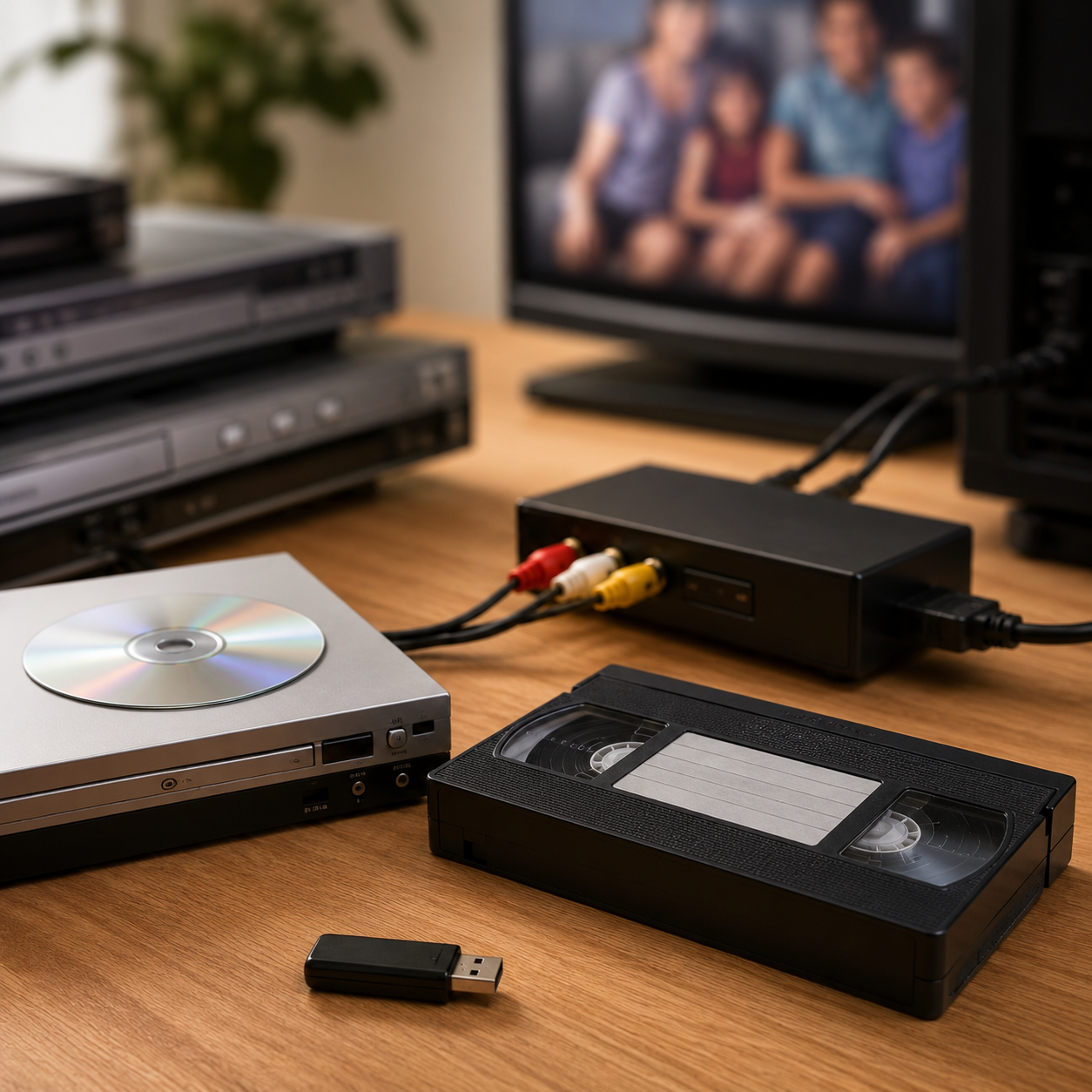
For most people, transferring VHS to USB is the better option. Digital files on a USB stick are easier to play, simpler to copy and share, and far more future-proof than a DVD disc. That said, DVD costs less and still has real appeal for those who want something physical to pop in a player - so the right answer does depend on how you plan to use your footage.
Key Points
USB is the better all-round choice for most households - digital files work on laptops, smart TVs, phones, and tablets without any specialist equipment.
DVD is cheaper: VHS to DVD costs £18.99 via Digital Converters, compared to £22.99 for VHS to USB - a £4 saving per tape.
Digital files on USB last indefinitely because they can be copied and backed up; DVDs are physical discs that can scratch, snap, or suffer disc rot over time.
You can get both formats at once - useful if you want a DVD for easy playback now and a digital file for long-term storage and sharing.
What Are Your Options When Converting VHS?
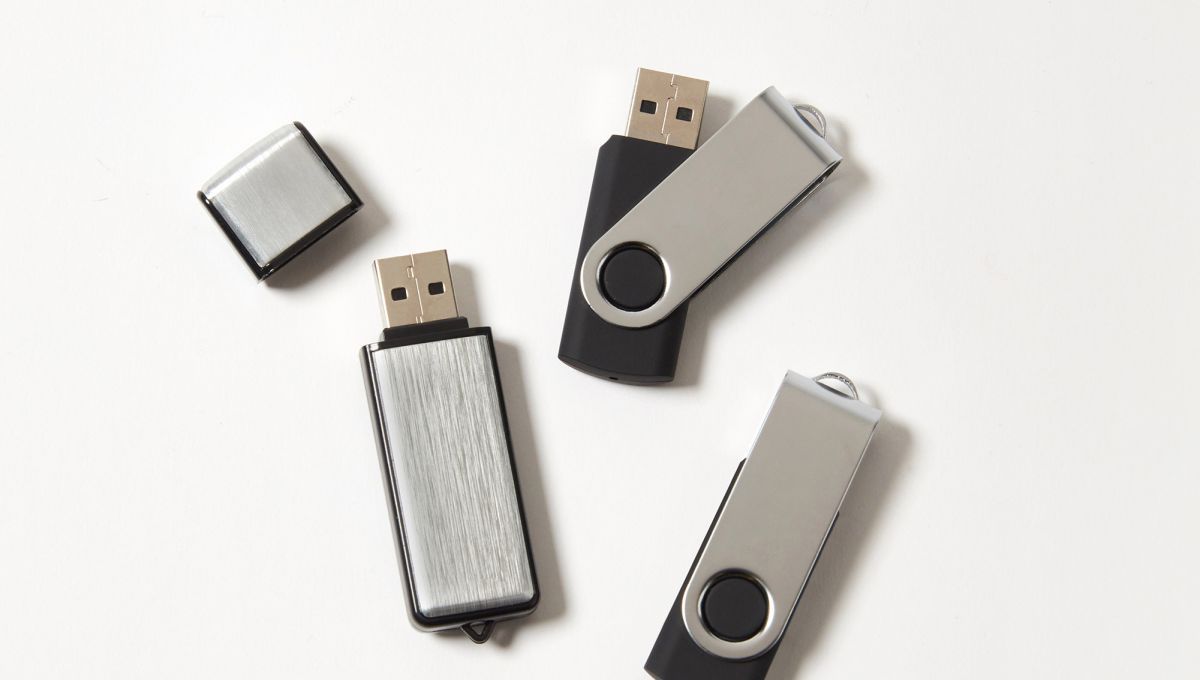
There are three main routes when it comes to getting old VHS tapes into a modern format: DVD, USB (a physical pen drive with your video files on it), or cloud storage. This article focuses on the DVD vs USB debate, since those are the two most popular choices - but it's worth knowing that cloud storage exists as a third option if you want your videos accessible from anywhere without a physical device.
DVD gives you a disc you can play on any standard DVD player. USB gives you an MP4 file on a pen drive you can plug into a laptop, smart TV, or pretty much anything with a USB port. The conversion process itself is the same either way - your tape is played back and the footage is captured digitally - it's just the output format that differs.
USB Wins for Most People - Here's Why
USB is the more practical format for the vast majority of people in 2025. The reason is simple: almost nobody owns a DVD player anymore, but every laptop, smart TV, and games console has a USB port.
With a USB stick, you can plug straight into your television and watch your home videos on the big screen without any additional equipment. You can copy the files onto your computer, your phone, or a hard drive for backup. You can send clips to family members over WhatsApp or email. You can even upload footage to YouTube or Google Photos to share with relatives who live far away. None of that is possible with a DVD without extra steps.
Digital files are also editable. If you want to trim a clip, extract a favourite moment, or put together a highlight reel for a family occasion, you can do that with an MP4 file. You cannot do it with a DVD without first ripping it back to a digital format - which defeats the object.
There's a durability argument here, too. A USB file can be copied indefinitely without any loss of quality. A DVD, by contrast, is a physical object that can be scratched, snapped, or suffer from "disc rot" - a well-documented deterioration of the disc's reflective layer that can make it unplayable over time.
The Case for DVD: When a Disc Still Makes Sense
DVD is not without merit, and there are situations where it genuinely is the better pick. The clearest one is when the person who'll be watching the footage isn't particularly comfortable with technology.
A DVD is tangible. You hand it to someone, they put it in the player, it works. There's no file management, no plugging things in, no figuring out which input the TV needs to be on. For older relatives who have a DVD player set up in the living room and use it regularly, a disc is actually more accessible than a USB stick.
DVD is also the right choice if you want a finished, gift-ready product. There's something about a physical disc in a case that feels more complete and considered than handing someone a pen drive. If you're converting footage for a family reunion or a significant birthday, DVD has a ceremonial quality that digital files lack.
It's also worth noting that DVD is cheaper. More on that below.
Quality Comparison - Is DVD or USB Better Quality?
Both formats start from exactly the same source - your VHS tape - so the base quality of the footage is identical. The difference comes in how that footage is stored after capture.
DVD uses MPEG-2 compression, which is an older codec that can introduce visual artefacts, particularly on fast-moving footage. USB files are typically stored as MP4s using H.264 compression, which is significantly more efficient and can retain more visual information at the same or smaller file size.
In practice, the quality difference between a well-encoded DVD and a good MP4 file is unlikely to be dramatic on standard-definition VHS footage. VHS was never a high-fidelity format to begin with - the original tapes have a resolution roughly equivalent to 333 x 480 pixels - so both outputs will look like VHS. But if you're planning to edit the footage or archive it for the long term, USB/MP4 preserves slightly more of what was on the original tape.
The conclusion: USB edges it on quality, but for casual viewing you're unlikely to notice.
Which is cheaper, VHS to DVD or USB?
Neither, in any meaningful sense. Across every order size from one to ten tapes, the two formats never differ by more than £4.20.
The conversion work costs the same whichever format you choose, and the price per tape falls as you add more. At Digital Converters it is £14.99 per tape for one to four tapes, £13.49 for five to nine, and £12.74 at ten. On top of that you pay for the discs, or for a memory stick large enough to hold the order, which is £8.00 up to four tapes, £12.00 from five to nine, and £16.00 at ten.
Number of tapes | Total on DVD | Total on USB | Difference |
|---|---|---|---|
1 | £18.99 | £22.99 | DVD cheaper by £4.00 |
2 | £33.98 | £37.98 | DVD cheaper by £4.00 |
3 | £50.97 | £52.97 | DVD cheaper by £2.00 |
4 | £67.96 | £67.96 | Identical |
5 | £76.45 | £79.45 | DVD cheaper by £3.00 |
6 | £91.74 | £92.94 | DVD cheaper by £1.20 |
7 | £107.03 | £106.43 | USB cheaper by £0.60 |
8 | £122.32 | £119.92 | USB cheaper by £2.40 |
9 | £137.61 | £133.41 | USB cheaper by £4.20 |
10 | £144.40 | £143.40 | USB cheaper by £1.00 |
The pattern is not a straight line, and that is worth understanding. DVD is a little cheaper up to six tapes, apart from four where the two are level to the penny. USB pulls ahead from seven. Then at ten tapes the gap narrows again, because the order needs a larger memory stick.
So on an order that might run to £140, the most you can save either way is a shade over £4.
How many hours fit on a DVD?
A single-layer DVD holds 4.7 GB, which is roughly two hours of video at a good bitrate. Digital Converters splits anything longer than three hours across multiple discs at no extra cost.
There is a trade-off buried in that sentence and it is worth pulling out. You can fit more hours onto a disc, but only by lowering the bitrate, and a lower bitrate means a softer, blockier picture. Three hours on one disc looks worse than two hours on one disc. That is a limit of the format, not the service.
Compare that with a memory stick, where the file simply takes up whatever space it needs. There is no ceiling forcing a compromise.
Here is a fact that puts the gap in perspective. At the top of the bitrate range, a single hour of MP4 video can take up more space than an entire single-layer DVD. The disc is not just a different container. It is a much smaller one.
How many VHS tapes fit on one USB stick?
A USB stick typically holds an entire collection, because converted footage runs between 1.5 GB and 5 GB per hour depending on the compression settings used.
Work it out in hours rather than tapes, since tape lengths vary wildly. Here is a rough guide.
Stick size | At 1.5 GB per hour | At 3 GB per hour | At 5 GB per hour |
|---|---|---|---|
32 GB | About 21 hours | About 10 hours | About 6 hours |
64 GB | About 42 hours | About 21 hours | About 12 hours |
128 GB | About 85 hours | About 42 hours | About 25 hours |
A typical E-180 tape runs to three hours at standard speed, though most home recordings are considerably shorter than the tape they sit on.
The whole order goes onto one stick, and the stick supplied gets larger as the order grows, so you are not left rationing space or splitting a collection across several devices. That is the practical difference from DVD, where every tape needs its own disc no matter how short the recording on it turns out to be.
How long do recordable DVDs really last?
Recordable DVDs last considerably longer than the alarming figures often quoted, but far less than the marketing claims. Conservation testing puts most discs somewhere between 20 and 100 years, with wide variation between products.
This deserves proper evidence, because the numbers floating around online are all over the place.
A study carried out by the National Institute of Standards and Technology with the Library of Congress found that most of the DVD media tested had life expectancies greater than 30 years when stored at 25°C and 50% relative humidity. All of the CD media tested also exceeded 30 years.
The Canadian Conservation Institute gives more detail by disc type. It puts DVD+R with a silver alloy reflective layer at 20 to 50 years, and DVD-R with a gold layer at 50 to 100 years.
Set against that, the Council on Library and Information Resources notes that manufacturers commonly claim 100 to 200 years or more for recordable discs, and that very few independent laboratories have published life expectancy reports to back those claims up. So the real figure is almost certainly below the marketing number.
The important caveat comes from the Library of Congress research itself, which found significant variations in predicted longevity across the different DVD products tested. Manufacturing quality, dye chemistry and the metal layer all change the answer. A cheap unbranded disc is not the same object as a good one, even though they look identical.
You will see claims that writable DVDs fail within 5 to 15 years. I have not been able to find a primary source supporting that range, and it sits below every conservation figure above. It may reflect real data on early or low-grade discs. It is not representative of a decent disc stored sensibly.
What actually shortens a disc's life is heat, humidity, sunlight and handling. The Canadian Conservation Institute recommends storing discs between -10°C and 23°C at 20% to 50% relative humidity, and never letting them exceed 32°C. A loft or a conservatory is about the worst place you could pick. A cupboard in a heated room is fine.
If you do go the DVD route, my advice is to store them upright in cases, keep them out of direct sun, and check one every few years to see it still plays.
Do digital files really last forever?
No. Digital files do not degrade, but the storage they sit on does, and that distinction gets blurred constantly.
The claim you often see is that MP4 files are permanent. As a statement about the file itself, that is true. A sequence of ones and zeros does not fade. But the file has to live somewhere, and every somewhere has a failure rate.
Flash memory, the technology inside a USB stick, gradually loses its charge when left unpowered. The JEDEC JESD47 standard uses a bake test that is treated as equivalent to roughly ten years of unpowered retention at 55°C. That figure comes from accelerated laboratory testing rather than from watching real drawers for a decade, so treat it as a benchmark rather than a promise. Sticks also fail suddenly and without warning, in a way discs generally do not.
Hard drives fail too, usually mechanically. Cloud storage depends on an account staying open and paid for, and on a company staying in business.
So why does digital still win? Because copying is free, instant and lossless.
That is the actual argument, and it is a much stronger one than permanence. Copy an MP4 to a second stick, your laptop and a cloud account, and you now have three independent copies. Every copy is identical to the original. When one fails, the others carry on, and you make a fresh copy to replace it. The clock resets.
A DVD cannot do this. Duplicating a disc needs a burner, blank media and software, each copy is another fragile object, and the disc you started with keeps ageing regardless.
Digital is not permanent. It is renewable. That is better.
How should you store and preserve your converted files?
Keep three copies of every file, on two different types of storage, with one of them somewhere other than your house. Archivists call this the 3-2-1 rule and it works just as well for family video.
Four steps get you there.
Copy the files from your memory stick onto your computer as soon as they arrive. Do not treat the stick as your only copy.
Upload them to a cloud service such as Google Drive, iCloud or Dropbox. This is your off-site copy, and it survives a fire or a burglary.
Keep the original memory stick somewhere cool and dry as your third copy.
Send a copy to a relative. It costs nothing, it makes them happy, and it is another backup you do not have to maintain.
Check the files open properly every couple of years, and move them onto new storage when you replace a computer. Professional archives do exactly this, on a schedule. The Canadian Conservation Institute recommends testing representative samples every 5 to 10 years for material stored on disc.
One more thing. Do not throw the original tapes away immediately. Keep them somewhere dry for a year until you are certain the transfers are complete and everything is on there. Tapes stored in a cool cupboard will outlast a loft by years.
Which Is Easier to Watch and Share?
USB wins here without much contest. The number of households with a functioning DVD player has been declining sharply for years - many modern laptops no longer have disc drives at all, and newer televisions rarely include DVD playback as a built-in feature.
A USB stick, on the other hand, works with essentially any device made in the last 15 years. Smart TVs, laptops, desktop computers, media streaming boxes - all of them have USB ports. You can also copy the files and send them to people digitally, which is the primary way most families share videos now.
If sharing footage with multiple family members is part of the plan, USB is far simpler. Making additional copies of a DVD requires a DVD burner and blank discs. Making additional copies of an MP4 file takes seconds and costs nothing.
Can You Get Both DVD and USB?
Yes - and if you're unsure which format will suit you best, or you want the security of both a physical and digital copy, many conversion services (including Digital Converters) can produce both simultaneously. You'll pay for each format separately, but you only need to send your tapes in once.
Getting both is a sensible choice if you're converting irreplaceable footage - a wedding, a child's early years, a grandparent who has since passed. The DVD gives you something to watch easily on the television right now. The USB gives you a backup and the flexibility to do more with the footage later.
DVD vs USB at a glance
Feature | DVD | USB |
|---|---|---|
Cost, 1 tape | £18.99 | £22.99 |
Cost, 10 tapes | £144.40 | £143.40 |
Playback | Needs a DVD player | Most TVs, laptops, consoles, phones |
File format | MPEG-2 in VIDEO_TS folders | MP4 with H.264 |
Capacity | 4.7 GB per disc, split after 3 hours | Whole collection on one stick |
Expected lifespan | 20 to 100 years depending on disc quality | Around 10 years unpowered, indefinite if copied |
Backup | Needs a burner and blank discs | Copy and paste, free and lossless |
Sharing | Post it | Email, cloud link or messaging app |
Editing | Needs ripping first | Opens in free software |
Future-proofing | Poor, players and drives disappearing | Good, MP4 is the standard format |
Best for | Single tapes, gifts, non-technical viewers | Collections, families, long-term keeping |
Frequently Asked Questions
Is USB or DVD better quality for VHS transfers?
USB is marginally better quality. DVD uses MPEG-2 compression, which can introduce artefacts on fast-moving footage. USB files are typically stored as MP4s using H.264 compression, which preserves more visual detail. In practice, the difference is subtle given VHS is a standard-definition format - but if you plan to edit the footage, USB gives you a better starting point.
Can I get my VHS converted to both DVD and USB?
Yes, we can produce both formats from a single transfer - just select USB and DVD when making your order. You only send your tapes in once, but we’ll send you back a copy on DVD, a copy on USB, and your original tapes. This is a good option if you want the convenience of DVD for immediate playback and the flexibility of a digital file for sharing and backup.
How long does a VHS to USB transfer last?
Indefinitely, in theory. An MP4 file doesn't degrade over time the way a physical disc does. The risk is hardware failure on the drive or USB stick, which is why it's important to copy your files to at least one other location - a second hard drive, cloud storage, or a family member's computer. Do that, and your footage is effectively preserved permanently.
What file format is used for VHS to USB transfers?
The best digital conversion services (such as Digital Converters) deliver VHS footage as MP4 files using H.264 encoding. This is the most widely compatible format - it plays on Windows, Mac, smart TVs, iPhones, Android phones, and media players without needing any additional software.
Is it worth converting VHS tapes at all?
Yes, and sooner rather than later. VHS tapes deteriorate over time - the magnetic particles that hold the image information shed gradually, and tapes stored in damp or warm conditions degrade faster. Many tapes from the 1980s and early 1990s are already showing signs of image loss. Converting now preserves what's left.
How much does it cost to convert VHS to DVD or USB?
At Digital Converters, the base conversion cost is £14.99 per tape. DVD output adds £4.00, bringing the total to £18.99. USB output adds £8.00, bringing the total to £22.99. Prices vary between providers, but this gives you a useful benchmark.
Can I convert VHS to USB at home?
You can, but it requires a working VCR, a video capture card or USB capture device, and video editing software. The equipment costs can add up quickly - particularly finding a functioning VCR - and home setups rarely match the output quality of professional-grade capture hardware. For irreplaceable footage, a professional service is a no-brainer.
Why convert to USB or DVD instead of cloud storage?
Cloud storage (such as our ‘My Memories’ service) is actually a great option - it gives you instant access from any device and easy sharing. When you choose the cloud option in your order, you will have cloud storage for 1 year. The main reasons people choose USB or DVD instead are: you get a physical copy you own outright without ongoing costs, and you're not dependent on an internet connection to watch your footage.